Finding immunization records in MyChart helps UNC Health patients quickly access up‑to‑date vaccine information for care coordination, school or work requirements, and personal health tracking. This document provides a clear overview of where immunization details are stored in MyChart and how to navigate to them, so you can review, verify, and share vaccine histories as needed.
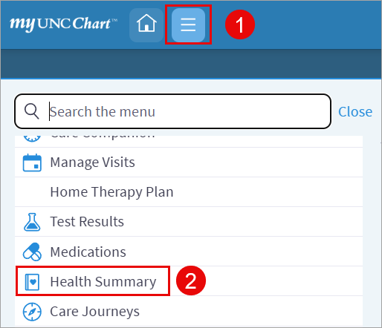
- Click the lined icon in the top-left corner of the screen.
- Select Health Summary.
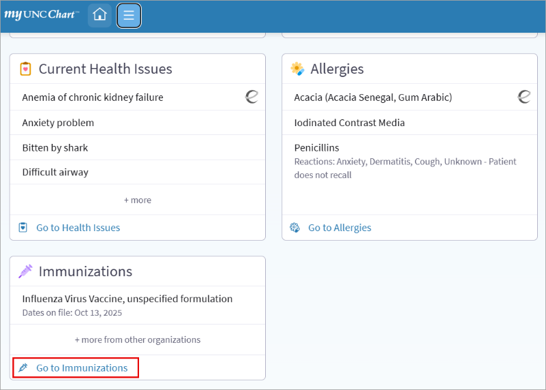
- Scroll down to find the student’s list of current Immunizations. Click Go to Immunizations.
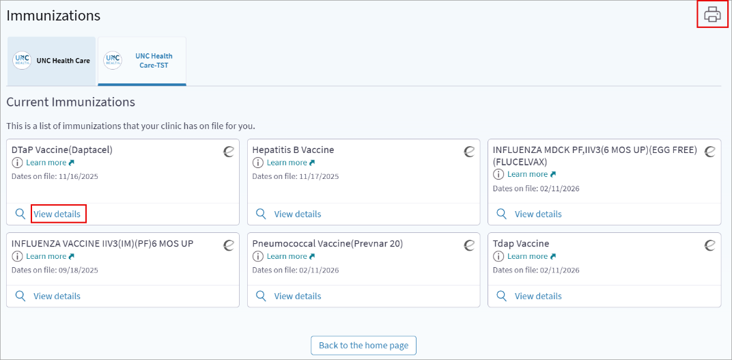
- To print this page to PDF, click the printer icon in the upper right corner of the screen.
- To see more information about a particular Immunization, click View details.
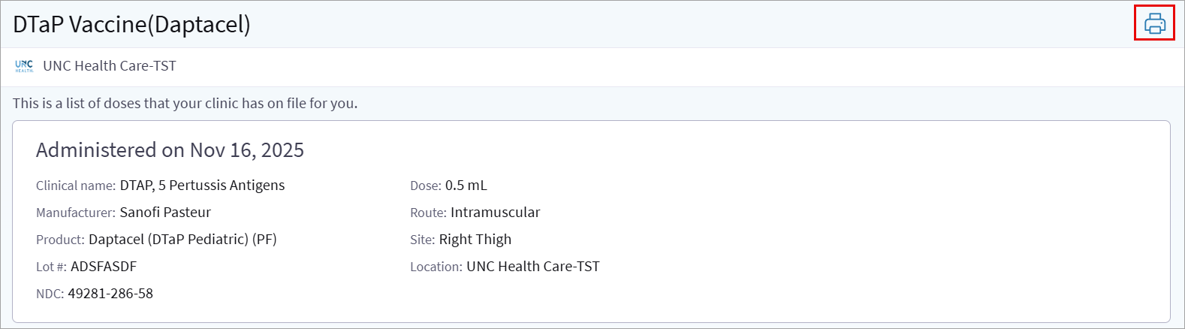
- Administration details appear here. Click the printer icon to print to PDF.
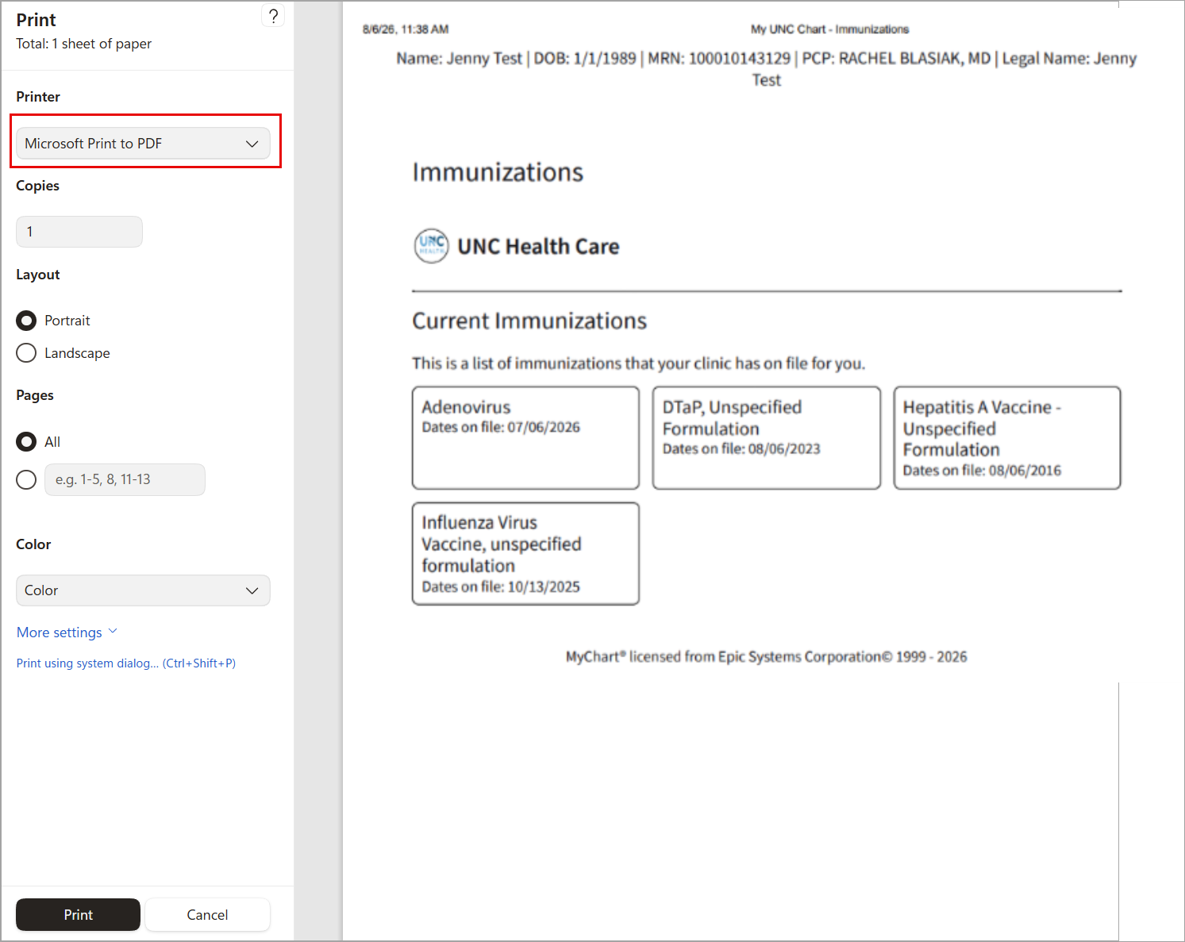
- Select Microsoft Print to PDF under Printer, then click Print. NOTE: The patient’s name, date of birth, MRN and PCP will show at the top of the page.
Visual Walkthrough
How to Share Immunizations using a Mobile Device:
- Follow instructions above to find desired Immunizations.
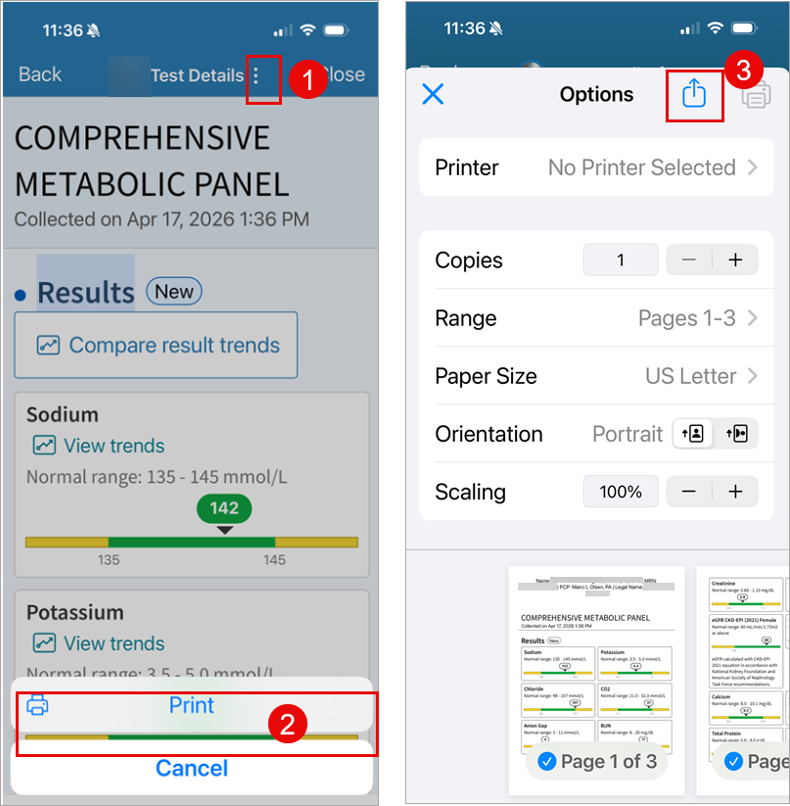
- Click the 3 dots icon at the top of the screen.
- Click Print.
- Click the send box with the arrow icon at the top of the screen.