If the student cannot use Self-signup for MyUNCChart for any reason, or the student receives the message
and/or email below, follow these instructions.
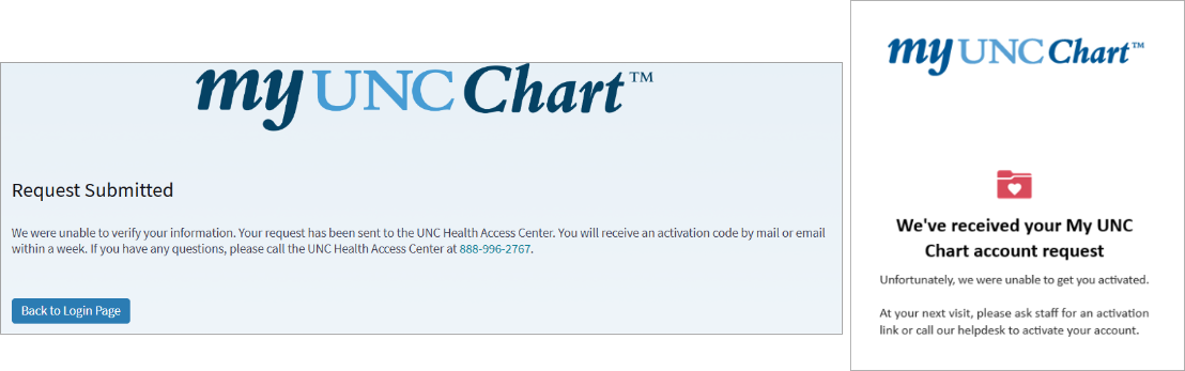
Workflow for Students Unable to Verify Their Identity and Unable to Create a MyChart Account
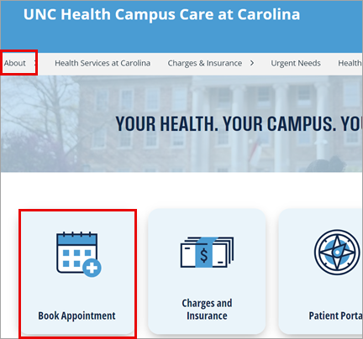
Schedule the appointment by using the link on the Campus Care website:
- Click the Book Appointment icon. NOTE: Alternatively, go to About > Appointments.
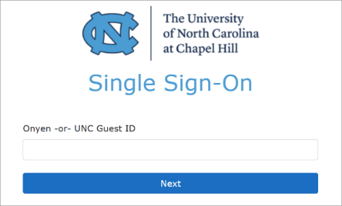
- This will route to campushealthappointments.unc.edu. The student is prompted to enter their ONYEN password on the single sign in page. NOTE: If a blank page appears, clear your cache, then try again.
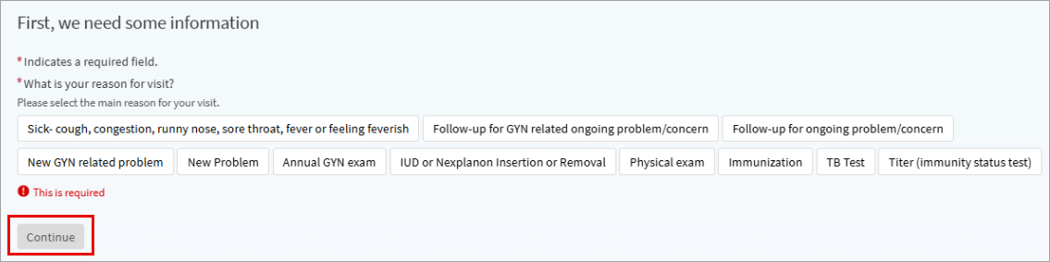
- Answer questions that appear to determine the type of visit that should be scheduled, then click Continue.
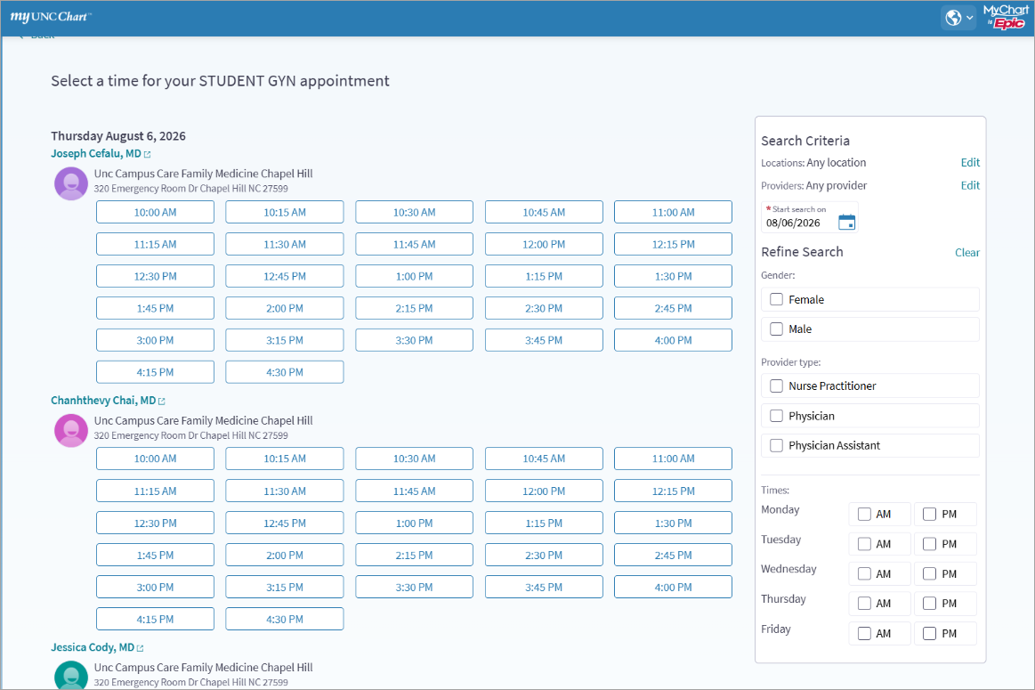
- Select the appointment time. Use Search Criteria to narrow down preferences.
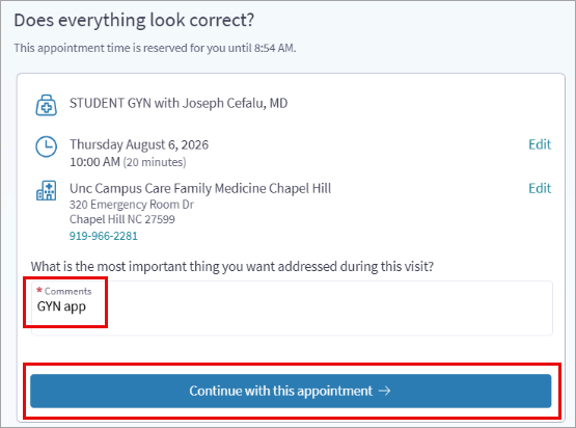
- Add a Comment explaining what the student wants to have addressed this visit.
- Confirm the appointment details and click Continue with this appointment.
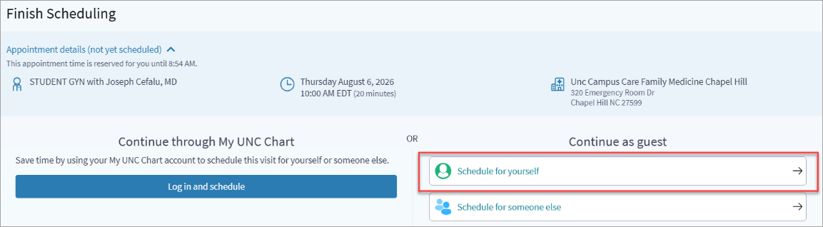
- Under Continue as guest, click Schedule for yourself.
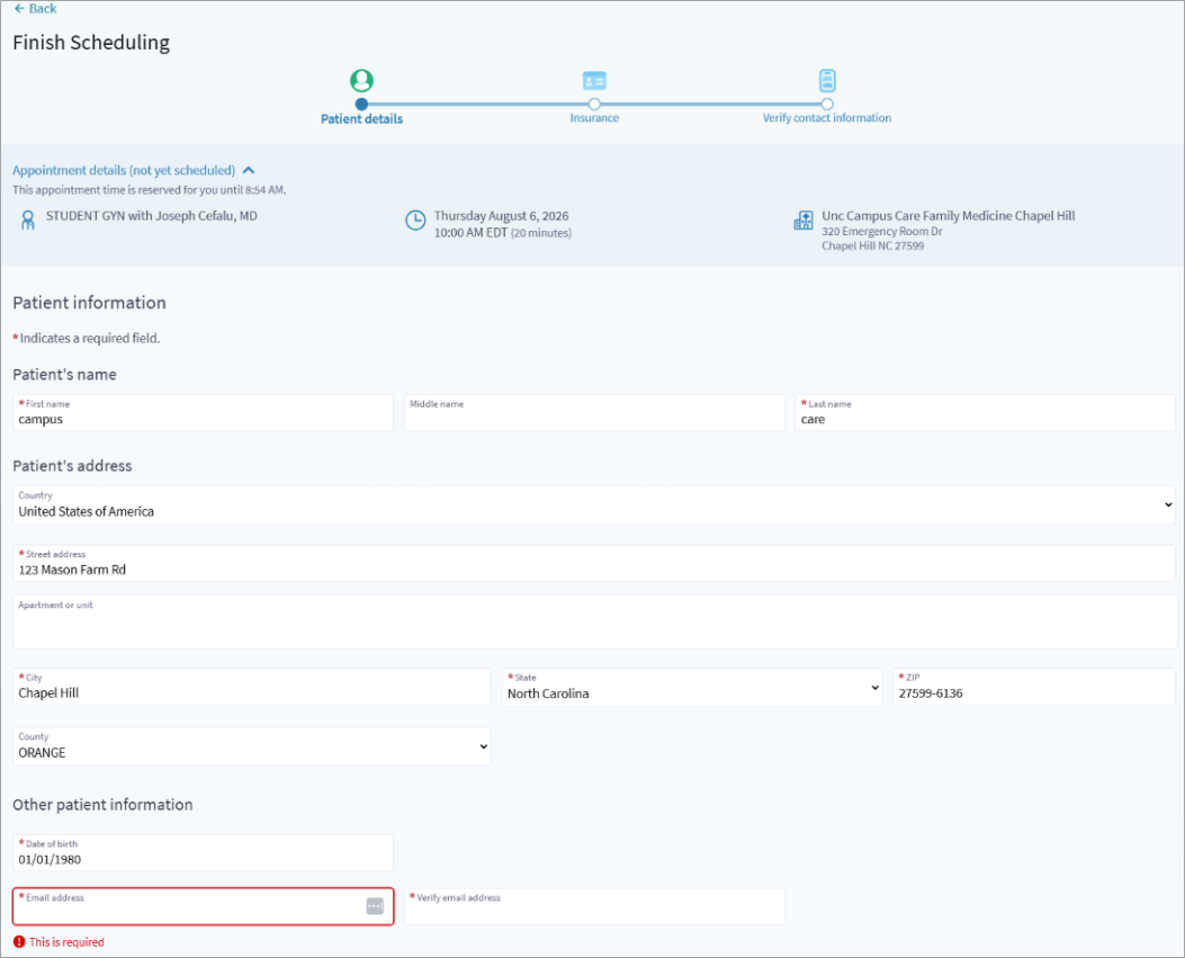
- The student enters their demographic information. NOTE: The email address field is required.
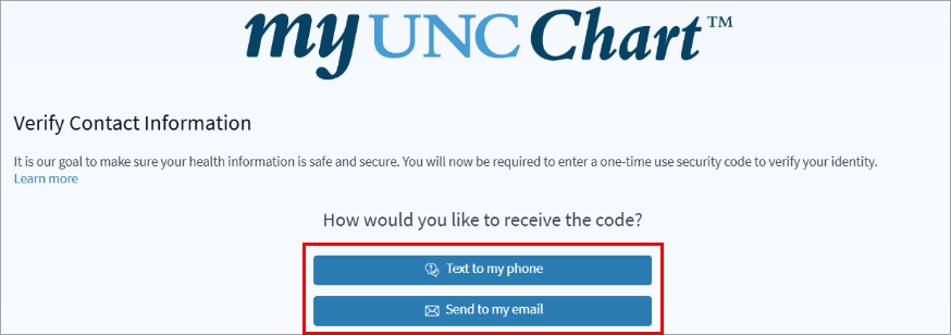
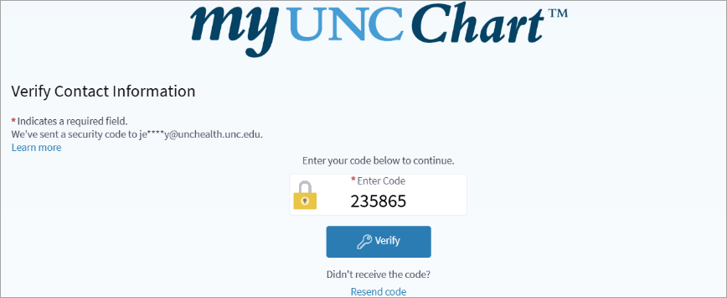
- Select a method for receiving a verification code, selecting either Text or email.
- Enter the code that was received.
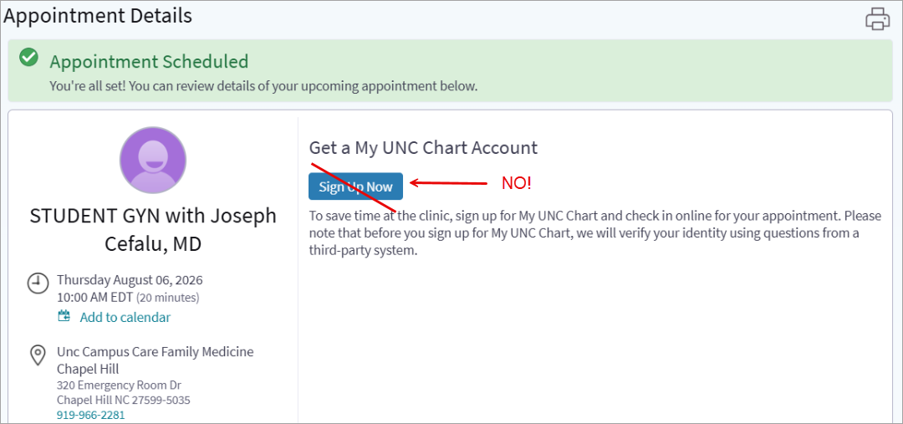
- The student’s appointment will be scheduled. Do NOT click Sign Up Now as this will follow the same workflow for signing up for MyChart with Experian.
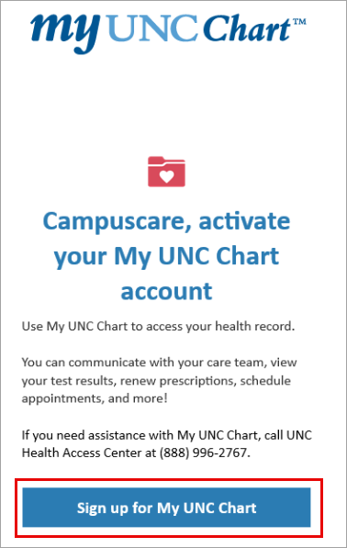
- When the student arrives for their appointment, staff can either send them a code manually or they will receive one automatically at the time of check-in.
- Click the Sign up for My UNC Chart button in the email.
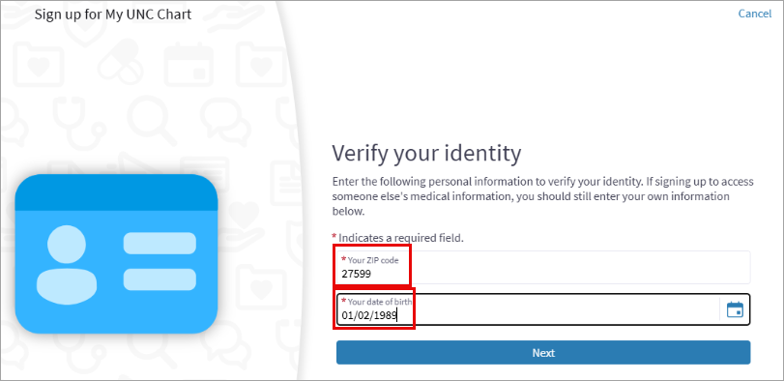
- Verify the student’s postal code and date of birth, then click Next.
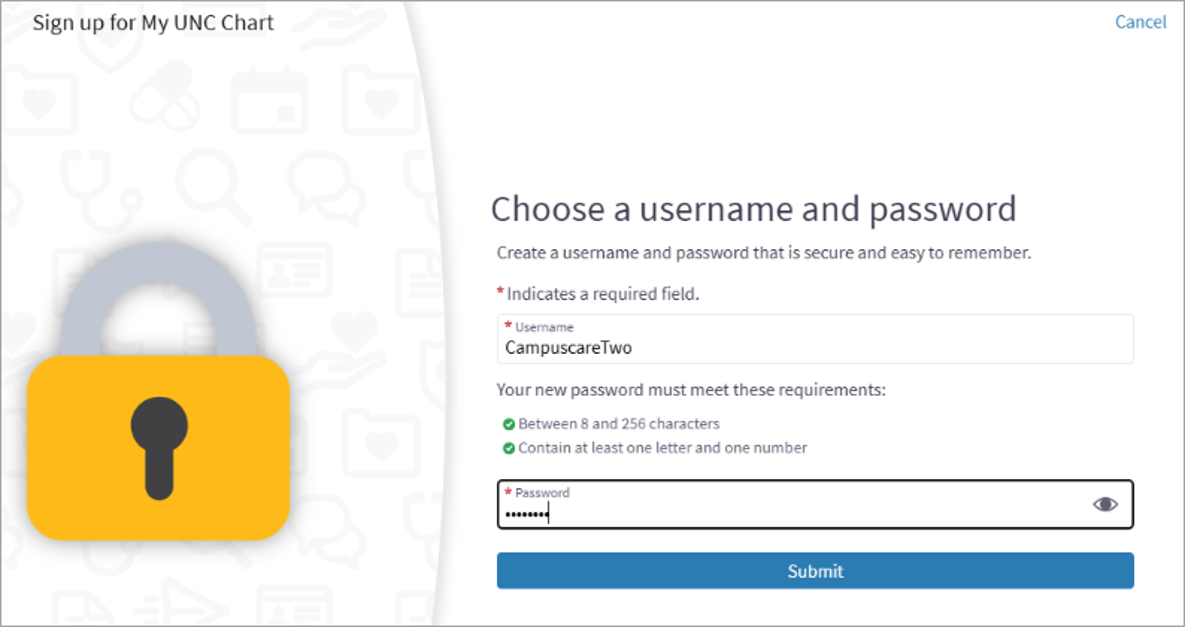
- Choose a username and password, then click Submit.
Visual Walkthrough: