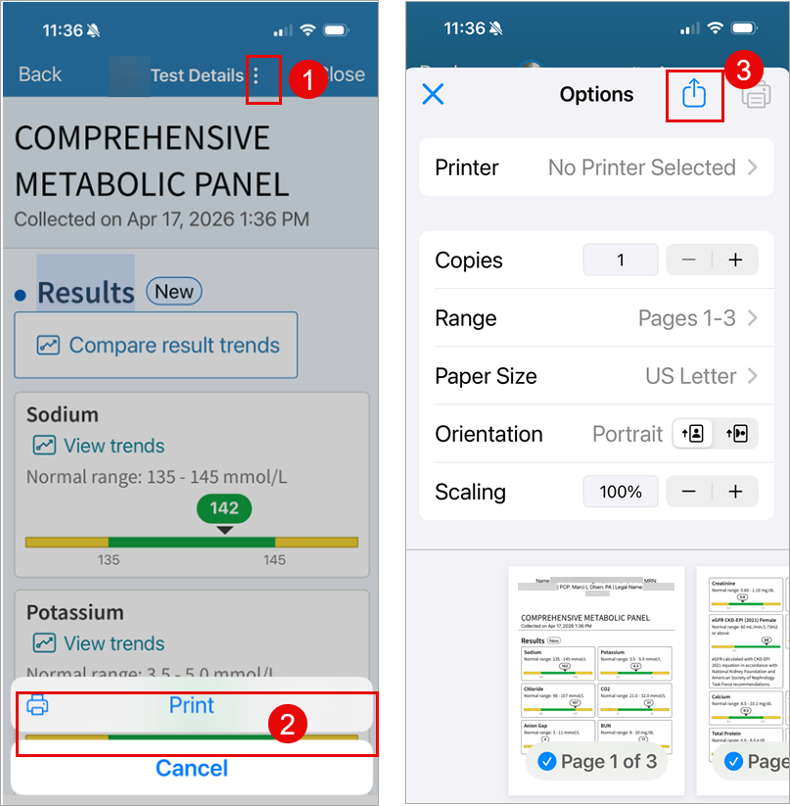
Accessing lab records in My UNC Chart allows UNC Health patients to quickly review test results, monitor trends over time, and meet school or work requirements. This document provides an overview of where lab information is stored in MyUNCChart and how to navigate to those sections, so you can efficiently locate, review, and reference laboratory data as needed.
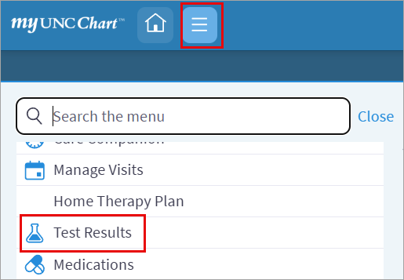
- Click the lined icon in the top-left corner of the screen.
- Select Test Results.
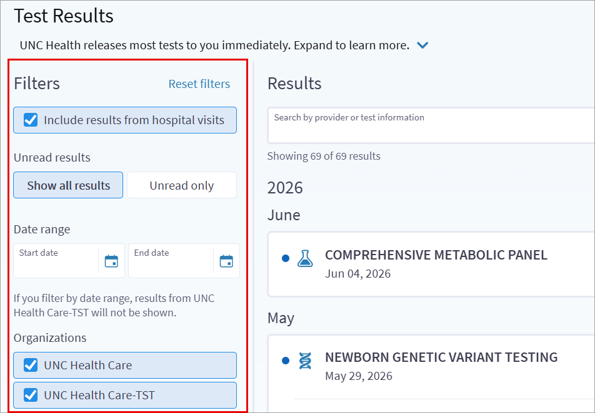
- Use Filters to narrow down the search.
- Click on the Lab to see more details.
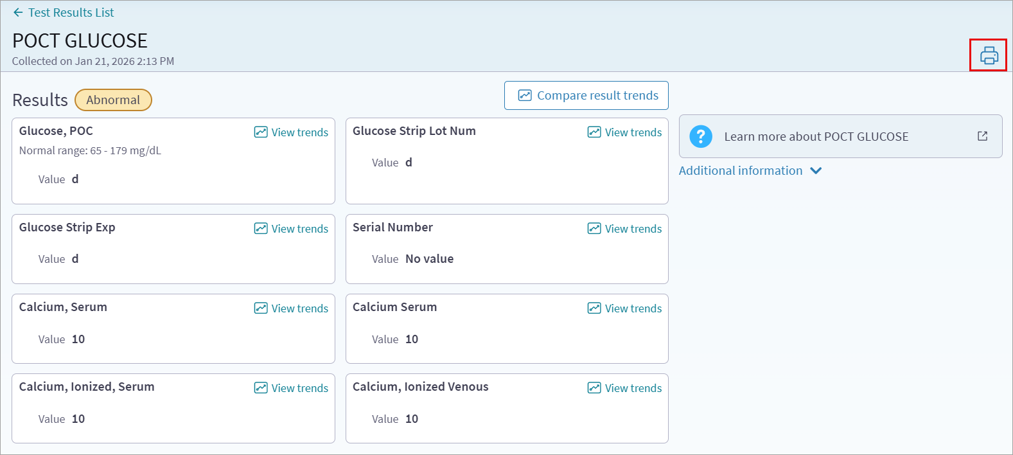
- Click the printer icon to print to PDF.
Visual Walkthrough:
How to Share Test Results using a Mobile Device:
- Follow instructions above to find the desired labs.
- Click the 3 dots icon at the top of the screen.
- Click Print.
- Click the send box with the arrow icon at the top of the screen.