Students who have not used My UNC Chart in the past can create an account so that they can stay up to date on their appointments, receive test results, and communicate with their providers.
How to Sign Up for My UNC Chart:
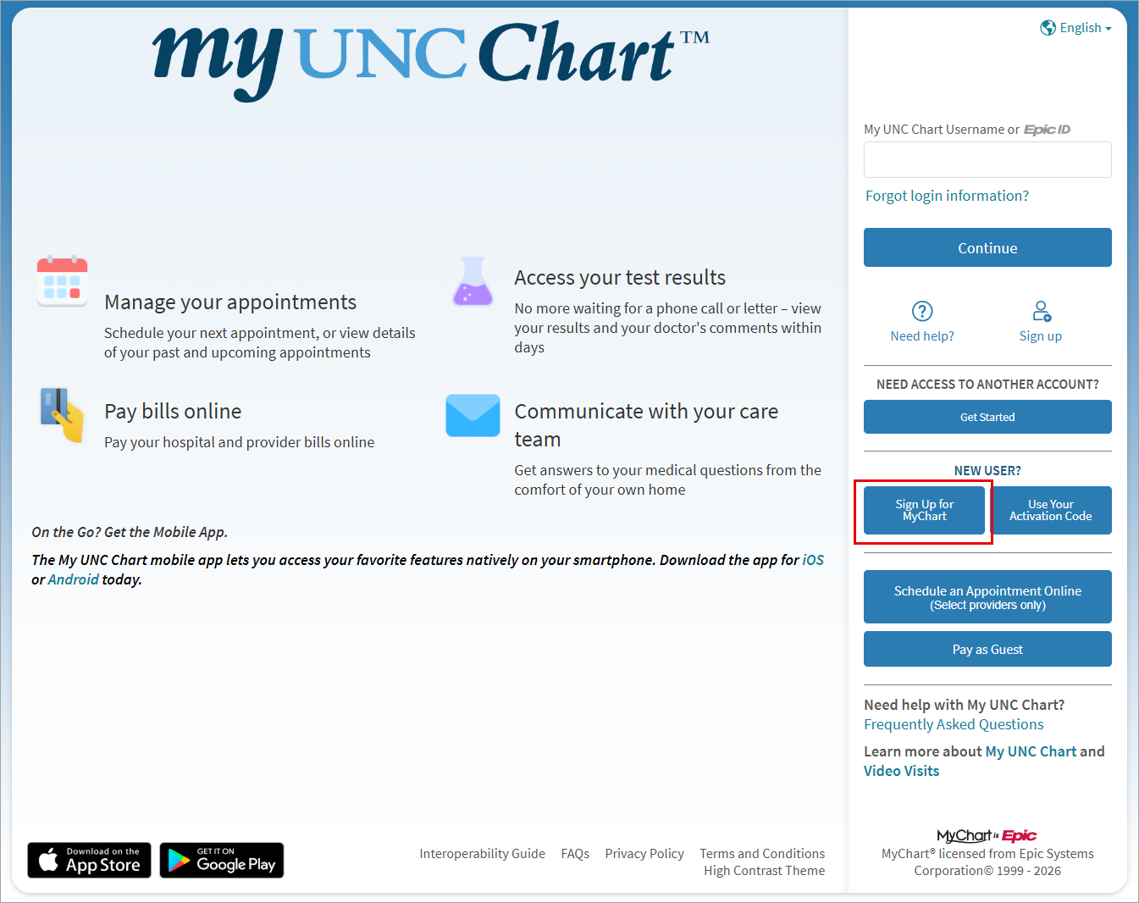
- Go to the My UNC Chart website: My UNC Chart – Login Page.
- Click Sign Up for MyChart.
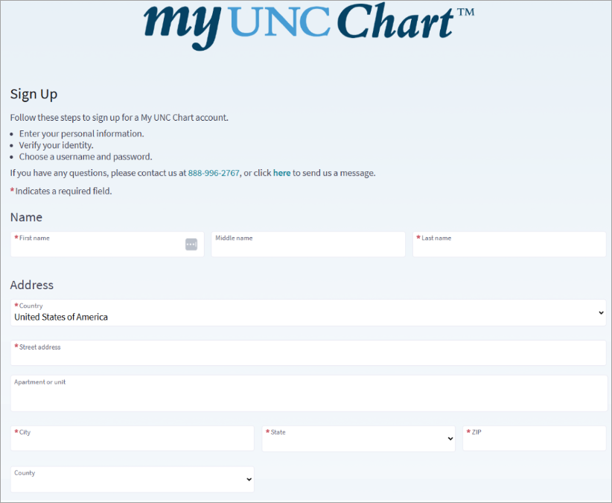
- Enter demographic information.
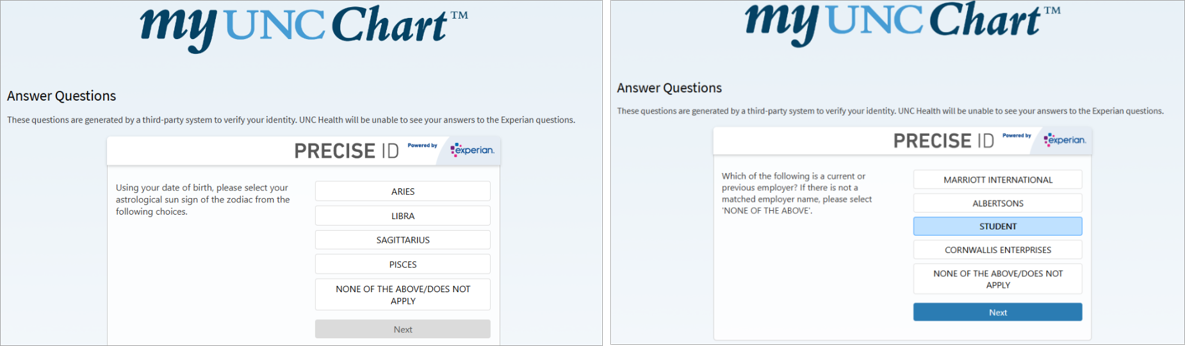
- If Experian can identify the student, they will be asked a series of questions (these may vary from the example here).
- NOTE: If a list of questions does not appear, stop and review the MyUNCChart When Unable to Verify Identity tip sheet.
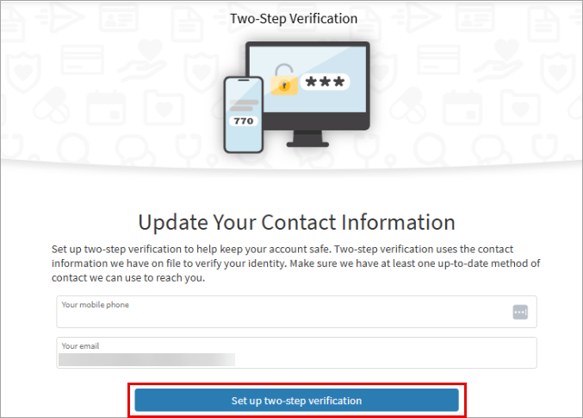
- Update contact information and click Set up two-step verification.
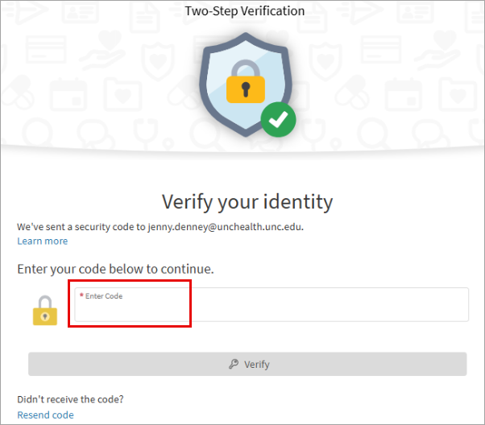
- Enter the verification code.
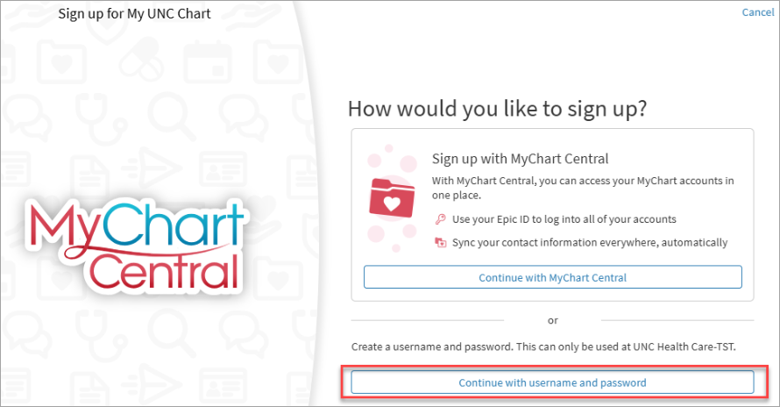
- Click Continue with username and password.
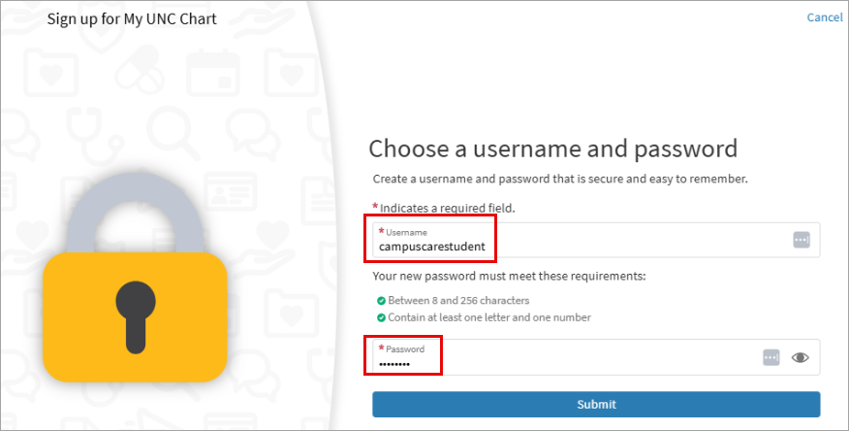
- Choose a username and password then click Submit.
Visual Walkthrough: